YouTube podcast thumbnail size: 1280 × 1280 is the current recommendation
For a YouTube podcast show's square playlist thumbnail, start with 1280 × 1280 pixels. YouTube's current podcast setup Help page recommends that square canvas. Its general thumbnail Help page supplies the matching 1:1 ratio for podcast playlists. The wording is a recommendation, not a published minimum or maximum, so keep the source scope visible when you document your export.
Official source: Create a podcast in YouTube Studio - YouTube Help, reviewed 2026-10-16.
What size does YouTube recommend for a podcast thumbnail?
The current YouTube podcast setup page treats a podcast show as a playlist and its episodes as videos. In the podcast details workflow, it asks for a square podcast thumbnail. Later in the same workflow, it gives the numeric recommendation: 1280 × 1280 pixels. That closes the pixel gap left by the general thumbnail page without changing the underlying shape rule.
“We recommend 1280x1280 pixels for your square podcast thumbnail.”
— YouTube Help, Create a podcast in YouTube Studio
Read the sentence precisely. It says “recommend,” not “require,” “minimum,” or “maximum.” The source also places the instruction in the podcast Details flow, where a creator uploads the show's square artwork. It does not claim that every podcast-related image, every episode thumbnail, or every account-specific upload route must use the same canvas.
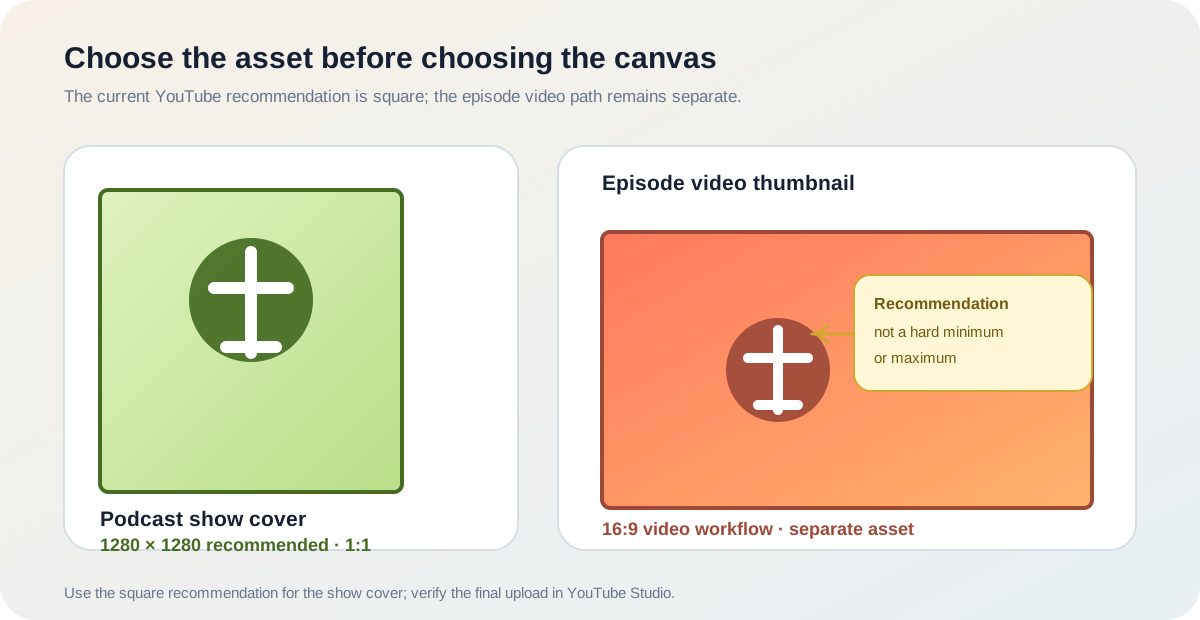
Podcast show cover: 1280 × 1280 recommended Shape: square 1:1 Not stated as a hard minimum or maximumIs 1280 × 1280 for the playlist cover or for every episode?
The number belongs to the square podcast thumbnail in the podcast details flow. That is the show's playlist-level cover. YouTube's same page explains that episodes are videos inside the playlist, so the cover and the episode image should be treated as separate assets even when they share a visual identity.
This distinction prevents a common export mistake: taking a 16:9 video thumbnail preset and calling it podcast cover art. A 1280 × 720 file may be a sensible video canvas, but it is not the square podcast-playlist recommendation. Conversely, a square cover does not automatically become the correct thumbnail for every episode video.
Does the general YouTube thumbnail page contradict 1280 × 1280?
No. The general customised thumbnails Help page answers the aspect-ratio question: use 1:1 for podcast playlists instead of 16:9. The podcast setup page answers the more specific pixel question: YouTube recommends 1280 × 1280 for the square podcast thumbnail. One page supplies the shape; the other supplies a current starting canvas.
The general page also separates video and podcast upload contexts when it lists file-size limits. It says podcast thumbnails have a 10 MB mobile limit and a 50 MB desktop limit in the checked section. Those limits describe the upload route and device context; they do not turn 1280 × 1280 into a hard dimension rule. If the Studio interface changes, re-check the current Help page and the upload form before treating an old note as universal.
How should you prepare the file?
- Confirm the target. Select the podcast show's Details page or an individual episode's video settings before opening a design template.
- Use the current recommendation. For the square show cover, make the working canvas 1280 × 1280 pixels. Keep the title, face, and logo inside a comfortable inner margin so small previews do not cut off the important parts.
- Export a practical upload format. The general YouTube Help page names JPG and PNG as accepted thumbnail formats. Keep the file within the current device-specific limit shown by YouTube, and do not infer a dimension limit from a file-size limit.
- Keep episode art separate. If the show also publishes standard videos, prepare those episode thumbnails on the 16:9 path and check the video-specific guidance.
- Verify in YouTube Studio. The final upload and display check belongs in the account's current Studio interface. A local file check can confirm pixels, format, and size; it cannot confirm the account's saved cover or every YouTube surface.
This checklist combines the current first-party recommendation with a clear tool boundary. It does not estimate search volume, traffic, ranking, or a hidden acceptance rule.
Can the Feed Thumbnail resizer export 1280 × 1280?
Not in its current standard workflow. The public resizer source sets a 1280 × 720 canvas, performs its crop and fit calculations against that 16:9 target, and exports a JPEG. Those are reproducible first-party implementation facts for the video-thumbnail path; they are not a claim that the site can upload or verify a square podcast cover.
The site's local source can still help with the surrounding work: you can inspect an image, compare the intended composition, and use the existing thumbnail resizer when the target is a standard episode video. For the podcast show cover, start from a square-capable export path and compare the file with the 1280 × 1280 recommendation before opening Studio.
Feed Thumbnail does not sign in to YouTube Studio, create a podcast, accept account terms, pass a CAPTCHA, or report an account-specific upload result. Those actions require the channel owner in the official product. The public guide can explain the handoff and preserve the source trail; it cannot substitute for the final Studio check.
What do LightX, Snappa, and Reddit add?
The opened LightX YouTube thumbnail resizer page documents a 1280 × 720 preset, custom dimensions, editing controls, and JPG/PNG download. The opened Snappa pages describe ordinary YouTube thumbnail presets, templates, editable graphics, and download steps. Neither checked tool page establishes YouTube's podcast-playlist ratio or the first-party 1280 × 1280 recommendation.
The opened Reddit discussion is useful for the question signal: a creator asks for podcast artwork dimensions because the cover is square rather than the usual widescreen thumbnail. Replies mention 3000 × 3000 and 1080 × 1080 as personal outcomes. Those reports explain why a creator may search for a number, but they are not a YouTube-wide requirement and should not replace the current official recommendation.
The practical gap is now clearer. Generic thumbnail tools explain how to make a normal video image, the community supplies anecdotes, and YouTube's own podcast setup page supplies the square starting canvas. A careful workflow keeps all three evidence types separate instead of copying a competitor preset into a podcast upload checklist.
YouTube thumbnail size and podcast questions
What is the recommended YouTube podcast thumbnail size?
For the square podcast show thumbnail, YouTube's current podcast setup Help page recommends 1280 × 1280 pixels. The general thumbnail page supplies the matching 1:1 ratio.
Is 1280 × 1280 a hard minimum?
Not from the wording checked here. YouTube says it recommends 1280 × 1280; the page does not label that number as a minimum or maximum.
Is a podcast thumbnail 16:9?
The podcast show's playlist-level thumbnail is square, or 1:1. An individual episode is a video and can follow the separate video-thumbnail workflow.
Can I use 1280 × 720 for the podcast cover?
That is the current Feed Thumbnail resizer's 16:9 video canvas, not the official square podcast-cover recommendation. Confirm the asset target before exporting.
Are 3000 × 3000 or 1080 × 1080 required?
No. Those numbers appear as personal outcomes in the checked Reddit discussion. They are not presented as universal YouTube requirements.
Can Feed Thumbnail confirm my podcast upload?
No. It can document the local file path, but it does not sign in to YouTube Studio or verify an account-specific cover after upload.
Keep the official recommendation and the tool boundary visible
YouTube Help: Create a podcast in YouTube Studio is the source for the square podcast thumbnail workflow and the 1280 × 1280 recommendation. Reviewed 2026-10-16.
YouTube Help: Add customised thumbnails on YouTube is the source for the 1:1 podcast-playlist ratio, the separate video guidance, and the checked device-specific file-size notes. Reviewed 2026-10-16.
Feed Thumbnail's public resizer source is the source for the local 1280 × 720 JPEG behavior. For the ratio-focused companion guide, read YouTube thumbnail size for podcast playlists. For all guides, open Feed Thumbnail Guides.
LightX's YouTube thumbnail resizer, Snappa's YouTube thumbnail size notes, and the opened Reddit podcast-thumbnail discussion were used as fixed comparison and question-signal sources, not as authority for the official pixel recommendation.