YouTube thumbnail size for podcast playlists: use 1:1
Use a square 1:1 image for a YouTube podcast playlist cover. YouTube's current Help page says podcast playlists should use a 1:1 thumbnail instead of 16:9. The page does not state a fixed pixel dimension in that section, so do not turn 1280 × 720, 3840 × 2160, 3000 × 3000, or 1080 × 1080 into an official podcast requirement without another source.
Official source: Add customised thumbnails on YouTube - YouTube Help, reviewed 2026-10-15.
What does YouTube say about a podcast playlist thumbnail?
The current YouTube Help page gives different aspect-ratio guidance for different thumbnail jobs. For videos, it says to try 16:9. For Shorts, it says to try 9:16. For podcast playlists, it says to use 1:1 instead of 16:9. That is the official answer to the ratio question: a podcast playlist cover is square.
Use a 1:1 thumbnail for podcast playlists instead of 16:9.
— YouTube Help, Image size and resolution
The same section gives numeric recommendations for video and Shorts thumbnails, plus a minimum width for videos and a minimum height for Shorts. It does not pair the podcast-playlist 1:1 instruction with a numeric width-and-height recommendation. A careful answer should keep the published ratio and the missing pixel value separate.
Podcast playlist cover: 1:1 Fixed podcast pixels: not stated on the checked Help sectionIs a podcast playlist cover the same as an episode thumbnail?
Not automatically. The official wording names a podcast playlist when it gives the 1:1 exception. It separately describes video thumbnails with a 16:9 recommendation. That means a creator should identify the upload target before choosing a canvas: the podcast playlist cover is the square asset, while an individual episode can still have a video thumbnail workflow.
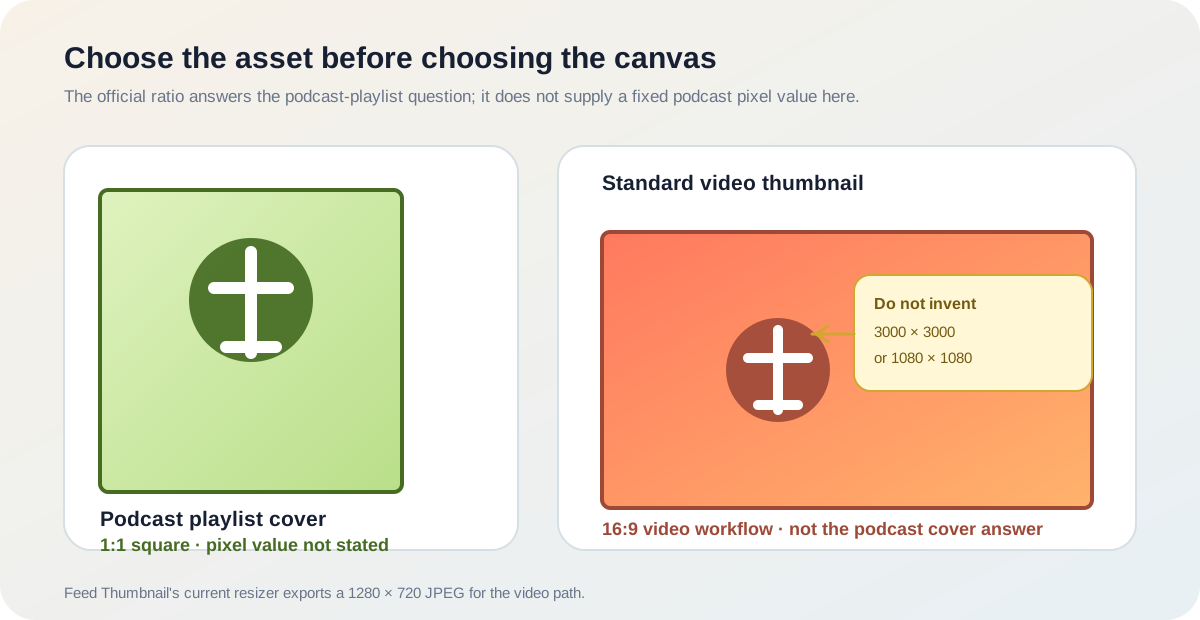
Can the Feed Thumbnail resizer make a podcast playlist cover?
The current public resizer source sets its target canvas to 1280 × 720, calculates crop and fit operations against that 16:9 ratio, and exports a JPEG. Those are reproducible first-party implementation facts. They make the resizer useful for a standard video-thumbnail handoff, but they do not make it a square podcast-playlist exporter.
This boundary matters because a square source image can still be placed into a wide canvas. The resulting file may look clean in a video-thumbnail preview while being the wrong shape for a podcast playlist cover. Open the thumbnail resizer when you need the current 16:9 local workflow; use a square-capable export path when the target is the podcast playlist cover.
The site can therefore verify a file-preparation step, not the final appearance of every YouTube surface. It does not sign in to YouTube Studio, upload a podcast, or confirm how an account-specific cover is rendered. The official Help page remains the source for the 1:1 rule, and the local code remains the source for the resizer's 1280 × 720 JPEG behavior.
How should you prepare the image?
- Confirm the target. Decide whether the file is for the podcast playlist cover or for an individual video. Do not let a familiar 16:9 thumbnail preset decide that for you.
- Start with 1:1 for the playlist cover. Keep the artwork square and place the title, face, or logo away from the edge so the design remains readable when it is shown small.
- Do not invent the pixel requirement. Record the official ratio, then check the current upload interface for any account- or route-specific constraint. A community report that 3000 × 3000 worked is evidence of one user's outcome, not an official minimum or maximum.
- Keep episode art separate. If the same podcast also has standard videos, prepare their thumbnails using the video guidance and the 16:9 tool path where appropriate.
- Verify in Studio. The final upload and display check belongs in YouTube's own product. Feed Thumbnail can prepare or inspect a local image, but it cannot report a Studio result.
This workflow combines the official ratio with a documented first-party tool boundary. It does not estimate search volume, traffic, or a hidden pixel limit.
Why is the podcast thumbnail answer easy to confuse?
The LightX YouTube thumbnail resizer page we opened documents a 1280 × 720 preset, custom dimensions, image editing, and JPG/PNG download. It does not state a YouTube podcast-playlist cover ratio or a podcast pixel requirement. The Snappa YouTube thumbnail maker page documents a YouTube dimension preset, templates, editable graphics, and download steps. It also does not establish the podcast-playlist rule.
The Reddit thread YouTube Podcast Thumbnail shows the user problem directly: the poster asks for optimal dimensions because the cover is square rather than the usual 1920 × 1080. A reply says 3000 × 3000 worked, and another suggests 1080 × 1080. Those are useful question signals and personal outcomes; they are not official dimensions.
The gap is therefore not another generic thumbnail maker. It is the missing handoff between a named aspect ratio and an unstated pixel value. The official source answers “what shape should the playlist cover have?” The first-party source answers “what does this site's current resizer export?” The community thread explains why creators may search for a number that the checked official section does not provide.
This comparison is limited to the pages actually opened for this guide. It is not a ranking claim, a statement about every page on the three fixed domains, or a promise that a particular square size will be accepted in every account or upload flow.
YouTube thumbnail size and podcast questions
What is the YouTube podcast thumbnail size?
The checked YouTube Help page says to use a 1:1 aspect ratio for podcast playlists instead of 16:9. It does not state a fixed pixel dimension in that section.
Is 1280 × 720 the podcast playlist size?
Do not treat it as the podcast answer. It is a common 16:9 video-thumbnail canvas and the current Feed Thumbnail resizer target, while the official podcast-playlist instruction is 1:1.
Is 3000 × 3000 required?
No. That number appears as a user-reported working result in the checked Reddit discussion. It is not presented there or in the checked YouTube Help section as a universal requirement.
Can Feed Thumbnail confirm the uploaded podcast cover?
No. Its current resizer is a local 1280 × 720 JPEG workflow. It does not sign in to YouTube Studio or verify an account-specific podcast upload.
Should every episode thumbnail be square?
Not from the checked wording alone. The Help page names the podcast playlist cover for the 1:1 instruction and separately describes video thumbnails with a 16:9 recommendation. Confirm the target asset before exporting.
Keep the ratio, pixel value, and tool boundary separate
YouTube Help: Add customised thumbnails on YouTube is the source for the 1:1 podcast-playlist instruction, the separate 16:9 video guidance, and the statement that the checked section does not give a numeric podcast canvas. Reviewed 2026-10-15.
LightX's YouTube thumbnail resizer and Snappa's YouTube thumbnail maker were opened for page-specific comparison of 16:9-oriented creation and resize coverage.
The opened Reddit podcast-thumbnail discussion was treated as a real user question and anecdotal evidence, not as an official dimension source.
Feed Thumbnail's public resizer source is the source for the local 1280 × 720 JPEG behavior. For the broader official table, read YouTube thumbnail size. For all guides, open Feed Thumbnail Guides.